Using the xential|sign module, a logged-in user (the composer) can create documents on behalf of another user (the author). The right to use this functionality is granted in xential|manager. This article describes four common scenarios.
Scenario 1: one user may compose on behalf of a user group
A specific user receives the right to compose documents on behalf of all users in a particular user group.
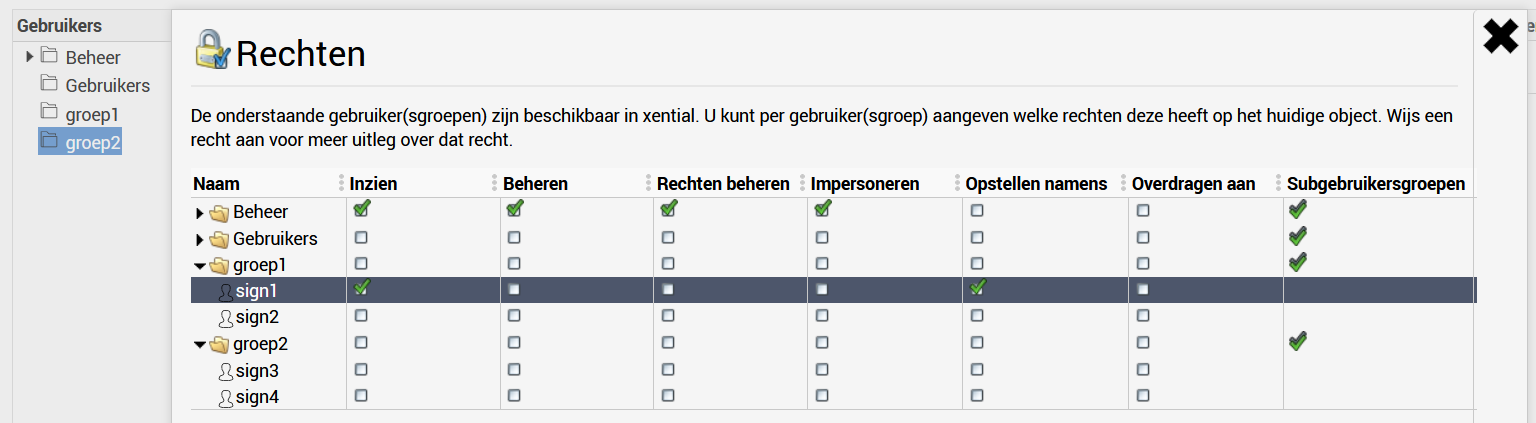
Scenario 2: a user group may compose on behalf of another user group
All users in a particular user group receive the right to compose documents on behalf of all users in another user group.
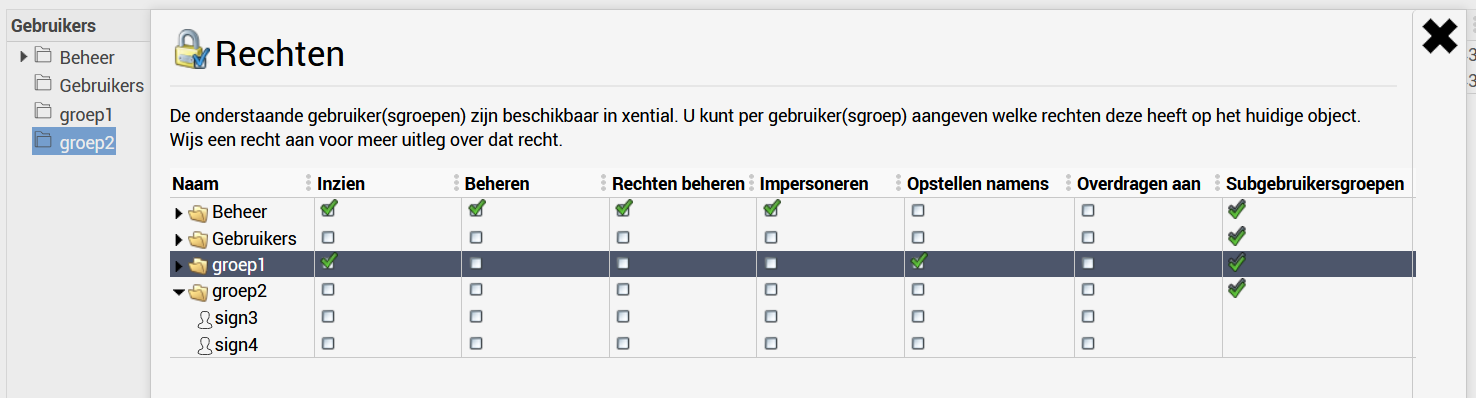
Scenario 3: one user may compose on behalf of specific users
A user receives the right to compose documents on behalf of one or more individually selected users.
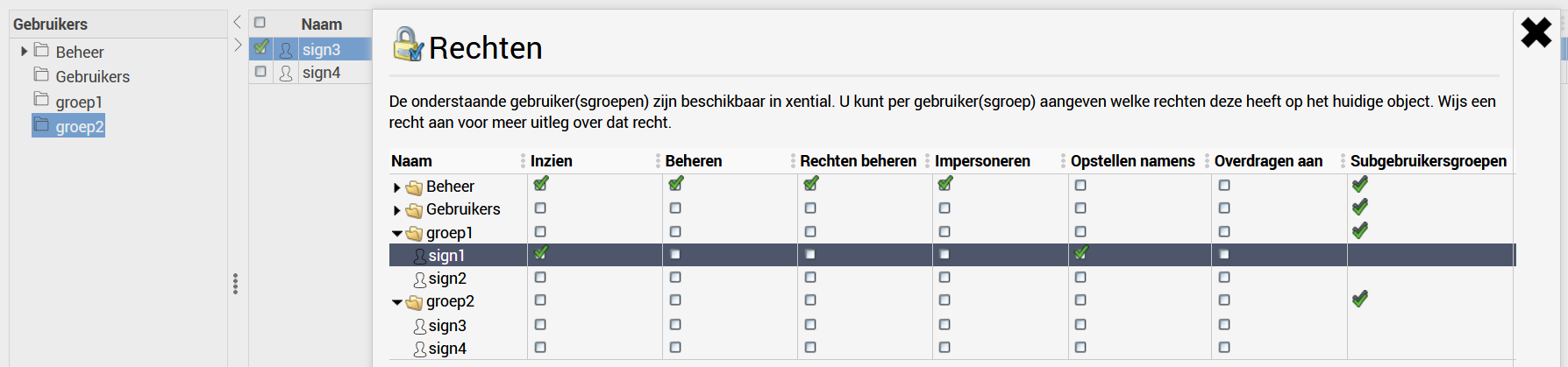
Scenario 4: composing on behalf of linked users in a specific user group
A user or user group receives the right to compose documents on behalf of linked users in a specific user group. The difference with scenarios 1 and 2 is that the right only applies to the group on which it is configured, not to other groups where the same users may also be members.
Verification: when the user logs in, a group selection screen may appear first because the linked user is a member of multiple groups.
Important
The View right is automatically checked after saving. This is necessary for the "Compose on behalf of" functionality to work correctly.