In xential|manager, you can restrict the use of templates by granting rights to specific users or user groups. This allows you to control who can see and use which templates in xential|client. This article describes how to configure rights at both the template level and the template group level.
Configuring rights for a template group
Use this method when you want to give one or more user groups access to all templates in a template group.
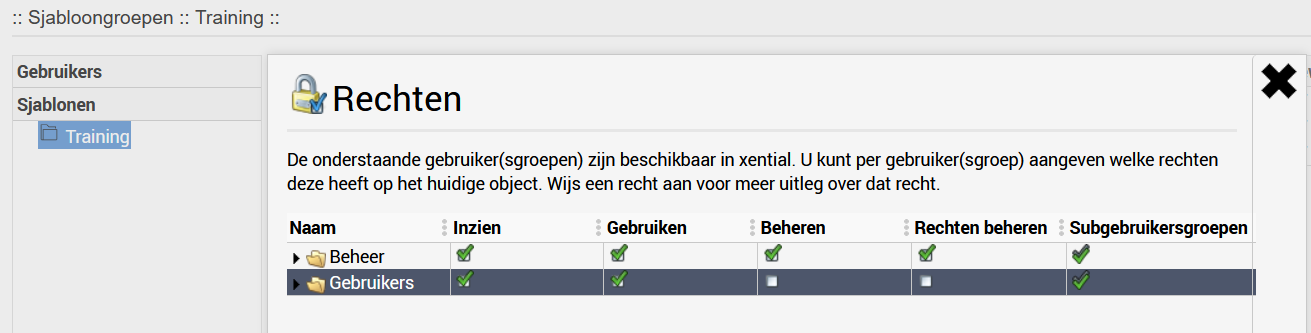
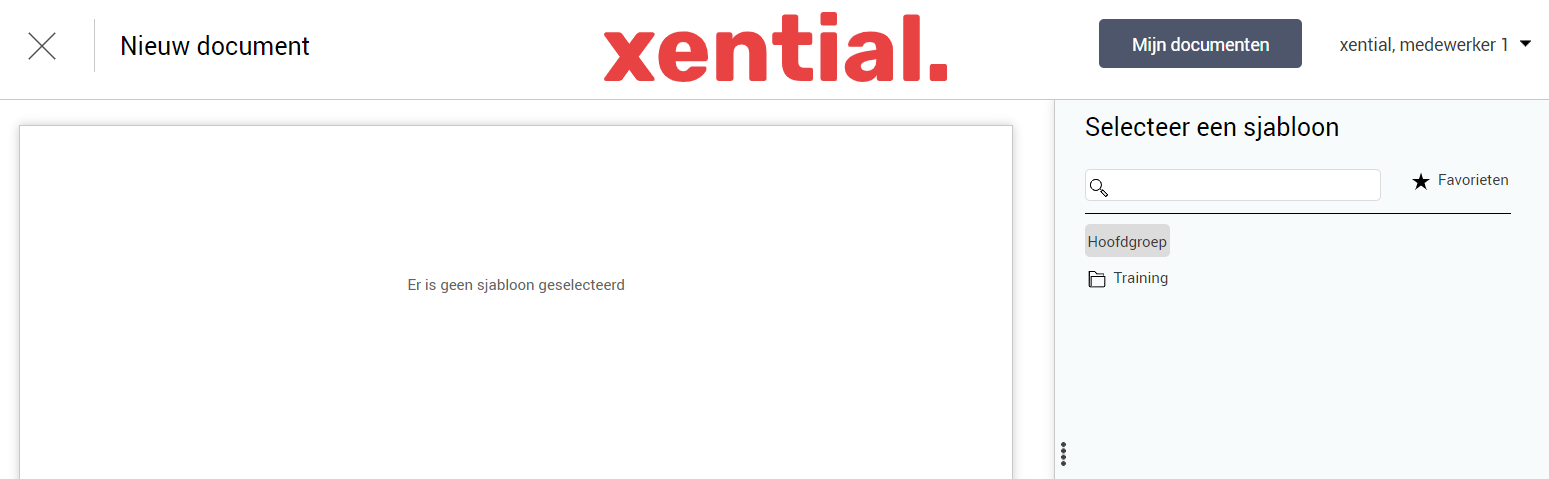
Result at template group level
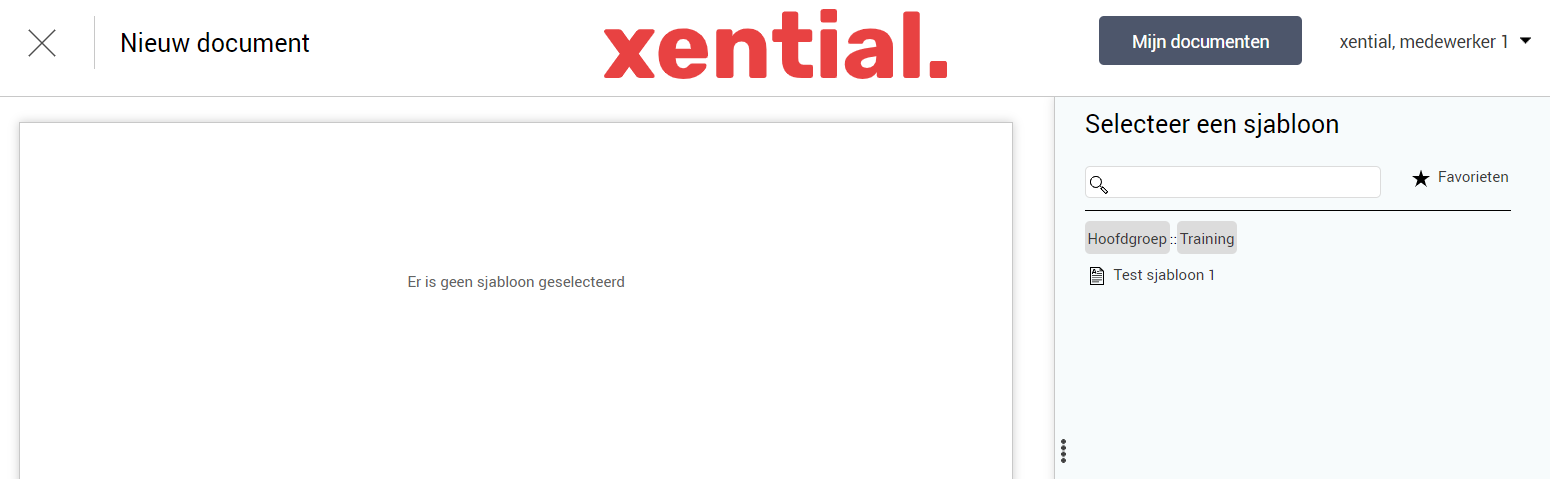
The users in the selected group(s) will see the template group in xential|client and can select all associated templates to generate documents.
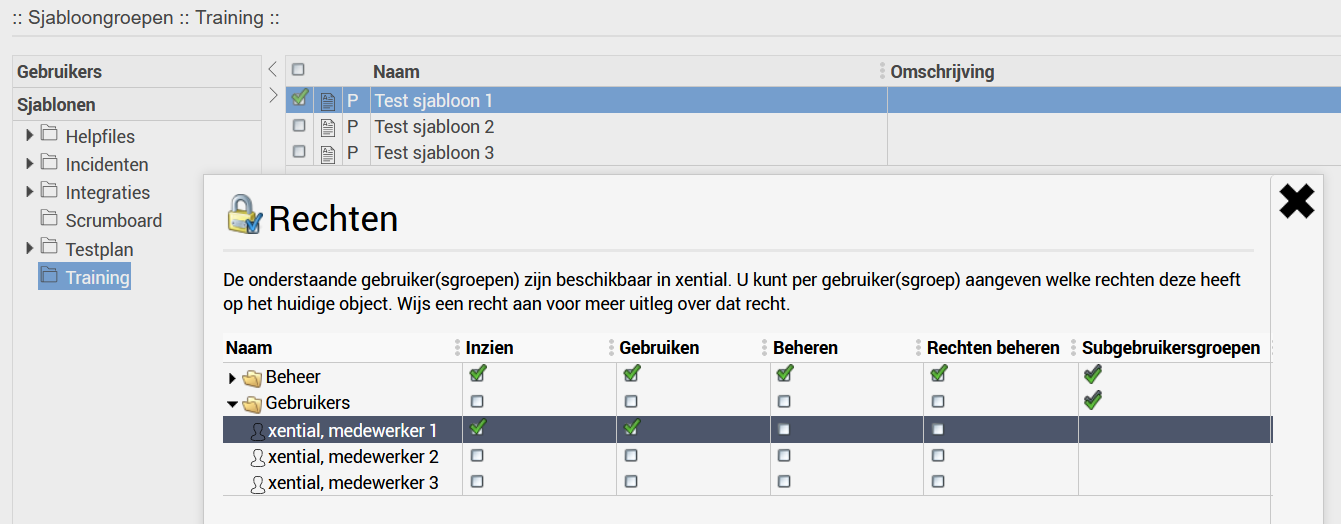
Configuring rights for a specific template
Use this method when a user should only have access to one specific template within a template group.
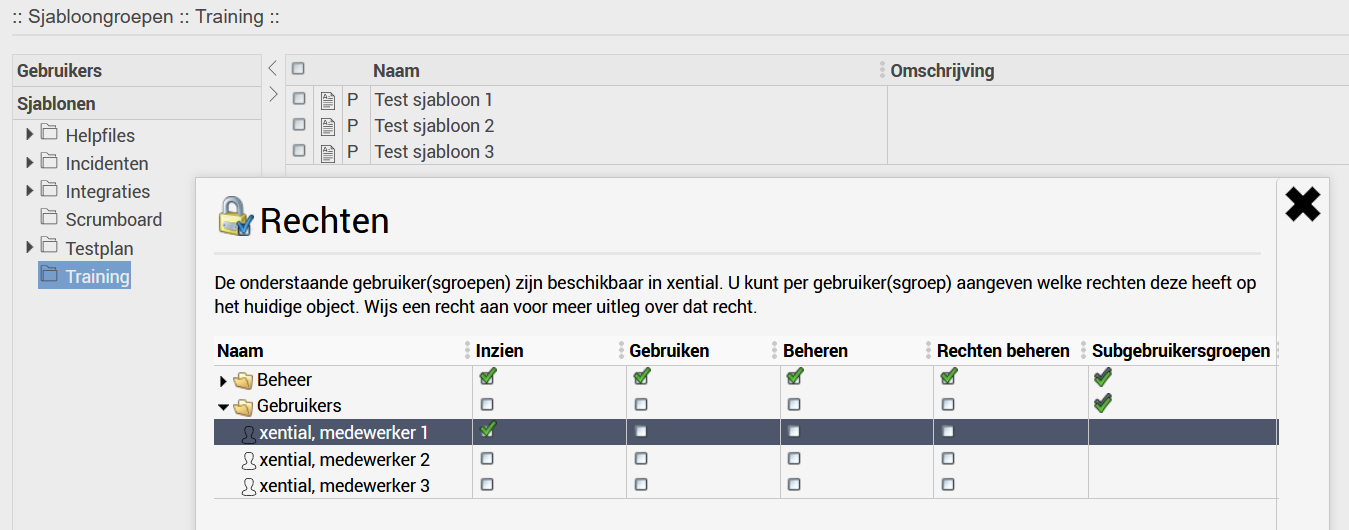
Result at template level
The user automatically receives the View right on the parent template group. In xential|client, the user sees the template group containing only the specific template for which rights have been granted.
Important
- The Use right ensures the user can see the template in xential|client and generate documents with it.
- The View right is automatically checked after saving when configuring rights at group level. For individual templates, the user automatically receives this right on the parent template group.
- In addition to usage rights, you can also grant management rights to specific users or groups.