When you edit templates in xential|studio, it can be helpful to make the dragged fields clearly visible in Word. By always displaying field shading, you can immediately recognise fields by their grey background. This helps prevent mistakes when editing templates.
Preparation
Close all Word documents and xential|studio before you start.
Step-by-step guide
- Open Word.
- Go to File and select Options.
- In the window that appears, select Advanced.
- On the right side of the window, scroll down until you see the section Show document content.
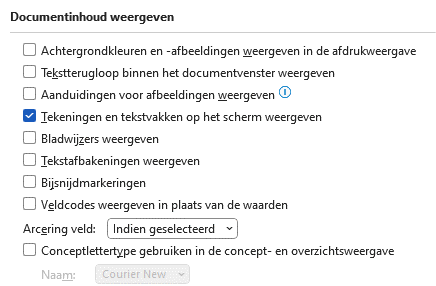
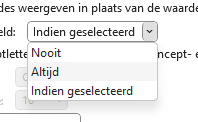
- Set Field shading to Always.
- Click OK at the bottom right of the window and close Word.
- Go to xential|manager and open a template for editing.
Result
In xential|studio, all dragged fields are now recognisable by a grey shading.